
Configuring Automated Reports
The Reports automation is the configuration side of the story; the Understanding Your Monthly SAIGE Report article covers reading what gets delivered. This page is the short walkthrough of how often the report goes out, who gets it, and how to adjust either.
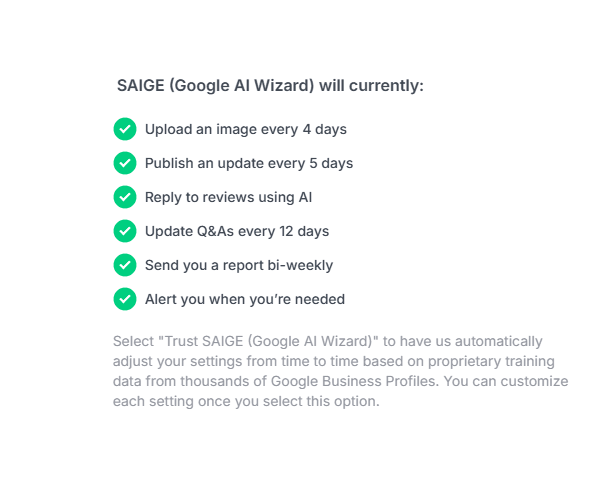
Default cadence
Out of the box, SAIGE generates and delivers a performance report every two weeks. The fortnightly cadence is the sweet spot for most operators — frequent enough to catch a problem early, infrequent enough that the heatmap movement between reports is meaningful. The bi-weekly run also lines up with the underlying ranking-audit cadence so the heatmap data is always current.
Adjusting the frequency
From the Reporting automation settings, switch from Trust SAIGE to a custom interval. Three common patterns:
- Weekly — for operators who run a tight ship and like fast feedback loops
- Bi-weekly (default) — best fit for most local businesses
- Monthly — for stable, established profiles where week-over-week movement is mostly noise
Who gets the report
Every report sends automatically to the email on your account. You can invite additional users (a co-owner, a marketing coordinator, a bookkeeper, an outside consultant) and choose which of them are on the recipient list per report type. Adding a recipient is per-account, not per-report — set it once and they're on the next run.
Delivery formats
- Email — branded PDF attachment plus a one-line summary of the headline numbers in the body
- Web share link — a private URL anyone with the link can view; on/off per recipient
- Google Drive auto-archive — every report drops into a folder of your choice as it generates, so you keep an audit trail without manual filing
- Manual PDF download — generate and download an out-of-cycle report any time from Reports in the dashboard
Reading the report
Once the PDF lands, the Understanding Your Monthly SAIGE Report article walks through every section: the heatmap, the top-3 placement %, the keyword rank-deltas, lead-action panel, and the estimated pipeline value. The structure of the report is the same regardless of whether you set frequency to weekly, bi-weekly, or monthly.
Was this article helpful?
Your feedback helps us prioritize what to write next.