
How to Pick the Best Target Keywords
Every SAIGE account starts by picking three priority keywords. They drive what the audit measures, which keywords SAIGE actively optimizes for in posts and Q&A, and what the monthly heatmap report tracks over time.
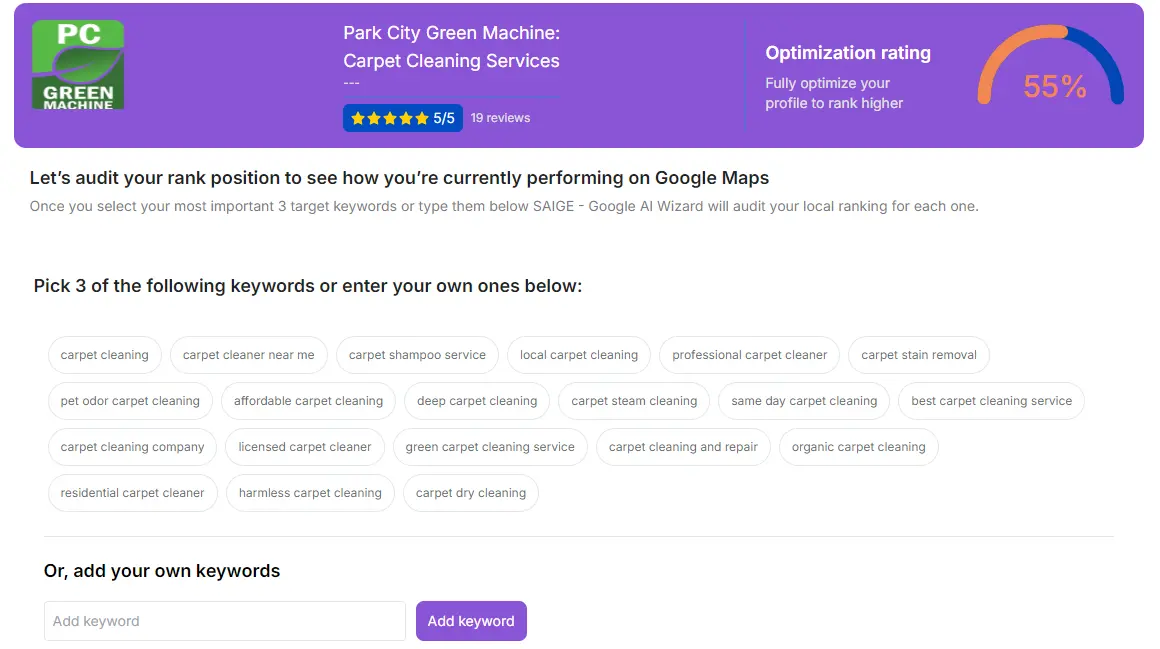
What the three keywords are used for
- The audit and optimization rating — your starting score is calculated against these three terms specifically
- Heatmap reports — your monthly heatmap shows your top-3 placement % for each of the three keywords across your service area
- Posts and Q&A — SAIGE's content engine biases toward your priority keywords so your posts reinforce the terms you most want to rank for
- Citation copy — listing descriptions across 45–62+ directories include your priority keywords for relevance signals
- Your 90-day satisfaction guarantee target — these are the keywords the guarantee is measured against (see callout below)
How to pick three good ones
If 60% of your revenue comes from one service, lead with that. "Metal roofing [city]" if you sell metal roofs, not generic "roofer".
Type your candidate keyword into Google. If the results are blogs and Wikipedia, customers don't search that way. If the results are Google Business Profiles in the map pack, you're on the right track.
Pick one broader category term ("roof repair"), one specific service ("metal roofing"), and one geographic modifier ("[your suburb] roofers"). The mix gives the heatmap and the optimization engine balanced signal.
Letting SAIGE pick for you
Click "Let SAIGE pick" and the AI evaluates your category, service area, competitor keyword stacks and historical conversion data, then proposes three. Most operators end up with the AI selection on at least two of the three. You can always override before saving.
Changing your keywords later
You can swap any of the three from Settings → Keywords. The new keyword starts feeding the post engine and citation copy immediately. The heatmap report keeps the historical data on the old keyword so you can see the before/after when you compare reports across the swap.
Was this article helpful?
Your feedback helps us prioritize what to write next.