Welcome to SAIGE
SAIGE — Simple Artificial Intelligence Google Expert — is the always-on AI that runs your Google Business Profile so you can run your business. This guide walks through what SAIGE does, how it does it, and what your first 30 days look like.
What SAIGE actually does
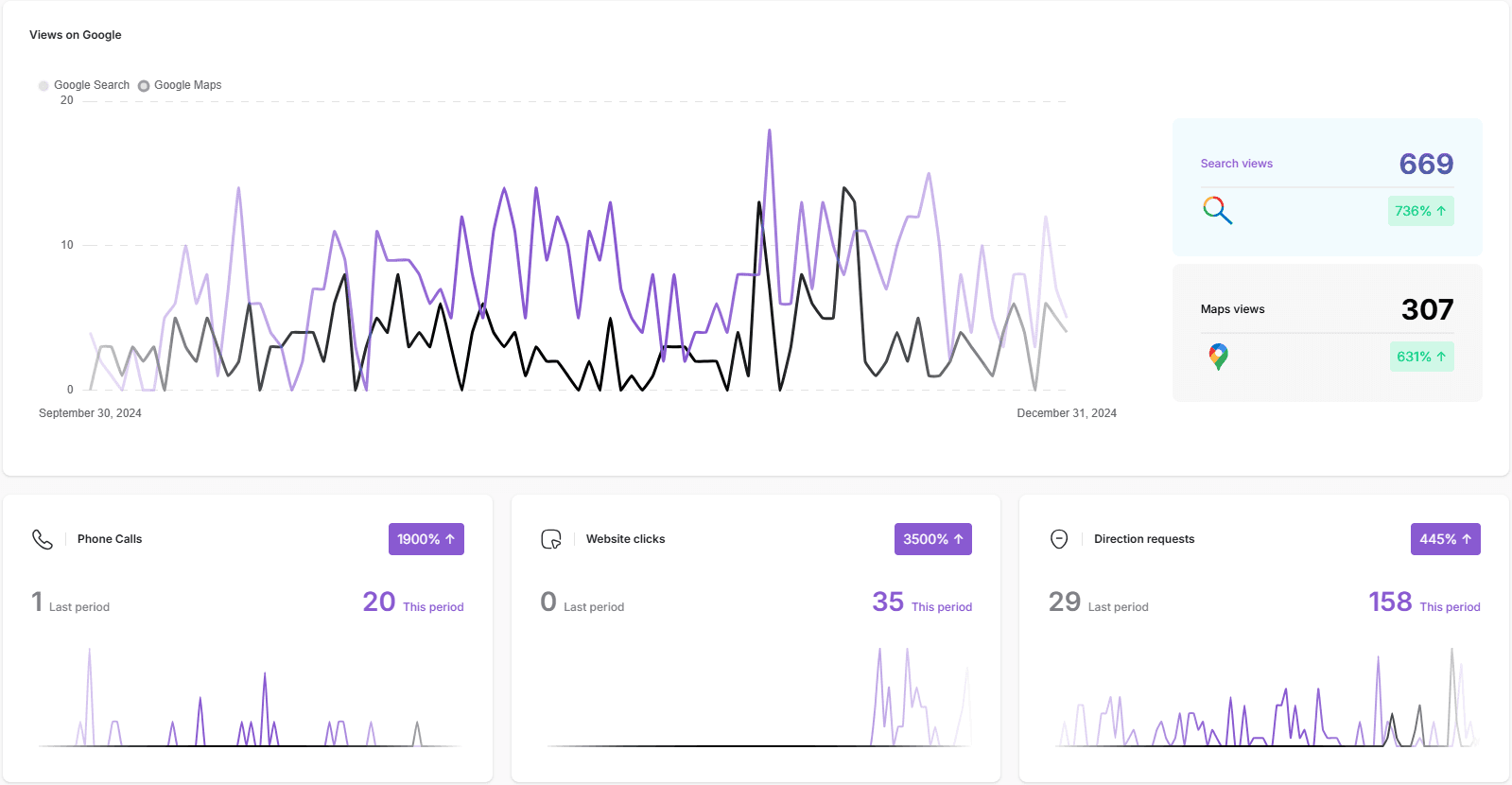
SAIGE handles the work that used to take an SEO agency a full month — every single day. The dashboard groups it into six automations:
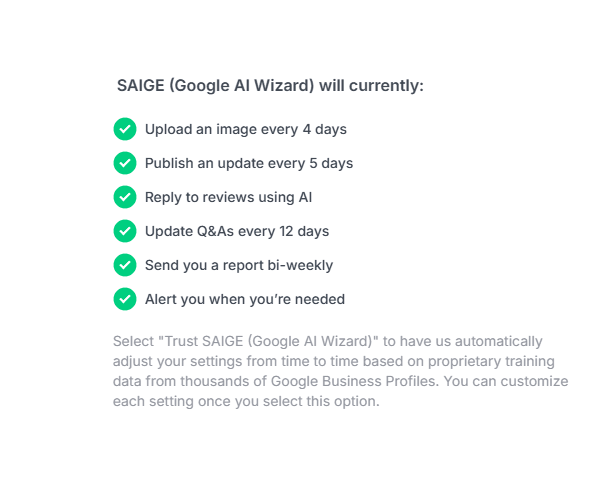
- Upload Images — drip-uploads, geo-tags and renames every photo so each one counts as a fresh ranking signal
- Automate Posting — writes and schedules Google Posts every 3 days, then cross-publishes to Facebook, Instagram and LinkedIn
- Review Management — fires post-job review requests and replies to incoming reviews based on star rating
- Automate Q&As — answers common Google Q&A prompts in your voice so the panel never sits empty
- Alerts — surfaces Google Business Profile changes, suspensions, and ranking drops the day they happen
- Reporting — produces the monthly heatmap, top-3 placement %, and keyword rank-delta report
What your first 30 days look like
- Day 1 — Connect SAIGE, pick three priority keywords, choose your audit area. SAIGE generates your initial optimization rating.
- Days 2–7 — SAIGE applies the easy fixes (descriptions, services, attributes, social links, citations) and starts the posting cadence.
- Days 8–21 — Reviews start arriving on the new request flow. Photo backlog auto-uploads with proper geo-tags. Citations clean up across 45–62+ directories.
- Days 22–30 — First monthly report drops with your before/after heatmap, top-3 placement % and keyword rank-deltas.
What runs automatically vs. what needs your input
Most of SAIGE runs without ever asking you. The exceptions where SAIGE pauses for your input are designed in deliberately:
- Review replies on 1–3 star reviews — by default we surface the AI draft for your approval. Switch to fully-automated in Review Management when you're ready.
- Photo consent for cosmetic / medical practices — photos uploaded without an explicit consent flag stay outside the publishing pool.
- Voice training — paste a few of your own writing samples and SAIGE adapts its tone for posts, replies and Q&A.
Where to next
If you're brand new, do these three things in order: set up your logo, pick your target keywords, and confirm your audit area. Each takes under five minutes and we walk through them step-by-step in the next three articles.
Was this article helpful?
Your feedback helps us prioritize what to write next.