Review Management
Reviews compound. SAIGE handles both sides: a personalized request fires the day a job wraps, and every incoming review gets a reply within minutes — tone tuned to the star rating, with optional disclaimers for regulated industries.
How review requests work
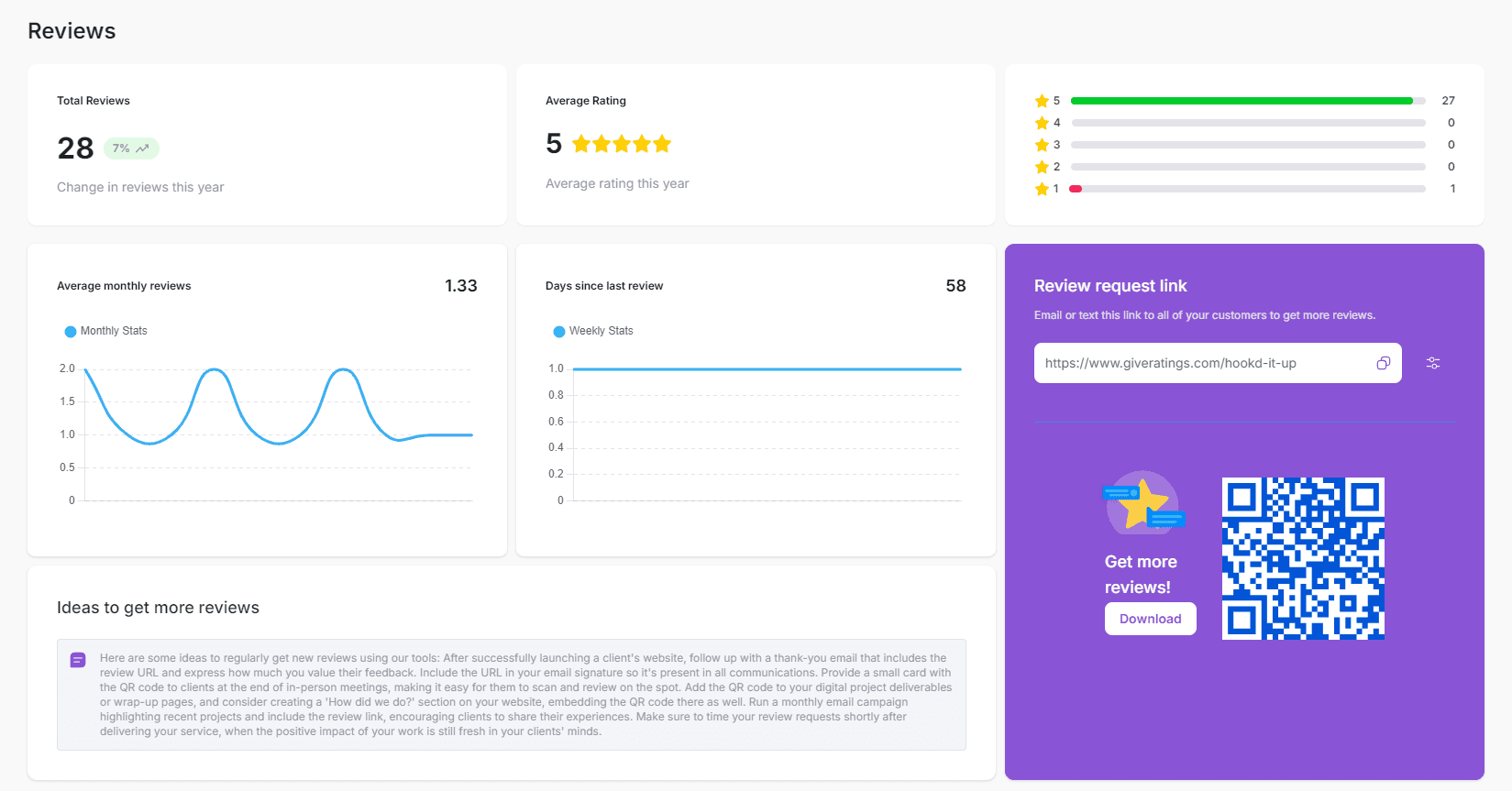
SAIGE listens to your invoicing or job-management system for a "job complete" or "invoice paid" event, then fires a personalized review request to the customer's email or phone the same day. The integrations that trigger requests:
- Stripe — invoice marked paid
- Square — order completed
- Zapier — any custom trigger from 7,000+ apps (CompanyCam, Jobber, HousecallPro, ServiceTitan, etc.)
- Manual — type a customer's name and email into the dashboard if you don't use a connected POS
What the customer sees
The link in the request email (or the QR code on a printed card) drops the customer onto a SAIGE-hosted landing page branded with your logo. They tap one of four emojis — Excellent, Good, OK, Bad — and SAIGE routes them based on the rating: positive emotes go to your Google review form; neutral or negative go to a private feedback flow so you can address the issue before it becomes a public 1-star review.
How auto review replies work
When a review hits your Google Business Profile, SAIGE generates a reply within minutes. The reply tone scales with the star rating:
- 5 stars — warm thank-you, refers to specific details mentioned in the review
- 4 stars — appreciative, addresses the small issue if one was mentioned
- 3 stars — neutral, acknowledges the experience, offers to make it right offline
- 2 stars — apologetic, surfaces a way to follow up directly with you
- 1 star — measured and professional, never argumentative, opens a private channel for resolution
Configuring per-star reply modes
Each star rating has its own automation mode. Open Settings → Review Management:
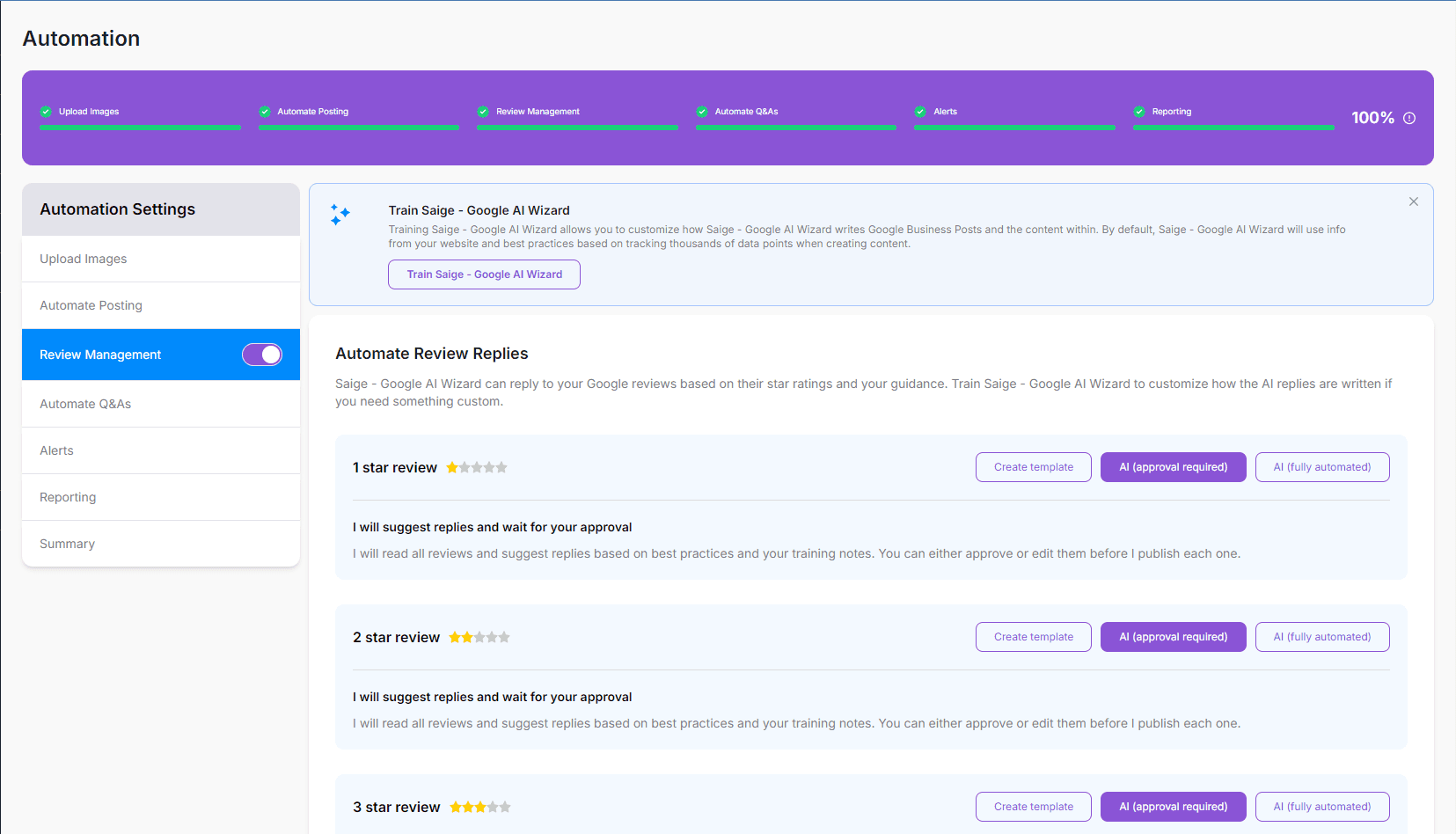
- Create Template — write your own reply template that SAIGE fills in
- AI Approval Required — SAIGE drafts the reply and you approve before it posts
- AI Fully Automated — SAIGE drafts and publishes without your input
Most operators run 4-star and 5-star reviews fully automated, and 1–3 star reviews on approval-required. That keeps speed-to-reply high on positive reviews while giving you a final pass on the ones that matter most.
Regulated industries (medical, legal, financial)
If you operate in a regulated industry — healthcare, legal, financial advice — the right setup is the same on the SAIGE side: keep replies on Approval Required for the first month, write template replies that fit your compliance posture, then move to Fully Automated once your templates are dialed in.
- Medical / wellness — write generic, non-clinical templates ("Thanks so much for the kind words — we look forward to seeing you next time") so neither the request nor the reply ever references a treatment or patient detail. Approval Required gives a final pass before publishing.
- Law firms — write replies in your jurisdiction's voice with the disclaimer language your bar requires appended to every template ("prior results do not guarantee a similar outcome" or equivalent). The Custom Template mode locks the disclaimer in so it can't be edited away.
- Financial advisors — same pattern: a template that opens warmly, never references a specific client situation, and (where applicable) includes your firm's standard disclosure language at the end.
Disabling review requests for a specific customer
Some customers shouldn't be asked for a review (recently disputed, complex situation, etc.). Add an email or phone to the Suppression List from Settings → Review Management, and SAIGE will silently skip any future request for them — across all your integrations.
Was this article helpful?
Your feedback helps us prioritize what to write next.